Buried Ethernet
Direct-Burial Ethernet
Run outdoor-rated Cat6 in conduit. Simple, rock solid, limited to 328 ft (100 m) without a switch.
Running a direct-burial ethernet cable from your house to an outbuilding is the boring, bulletproof answer. No RF interference. No aiming. No coax quality roulette. One cable in the ground, connected at both ends, and you have a gigabit link that will outlast the building.
The catch: you have to dig, and the cable has a hard 328 ft (100 m) distance limit per run without a switch in the middle. That's enough for most residential outbuildings, but if your outbuilding is farther, see direct-burial fiber.
Is direct-burial ethernet right for you?
- Distance is under 328 ft (100 m) between the two jack points
- You can trench, or existing conduit is available
- You want a maintenance-free, interference-proof link that lasts for decades
- You're already digging for another reason (new electrical, plumbing, gas)
- The distance is over 328 ft — use direct-burial fiber, or a switch midway (hard to power outdoors).
- You can't trench and there's no existing conduit — use point-to-point.
- There's existing coax between buildings and you don't want to dig — use MoCA.
The gear
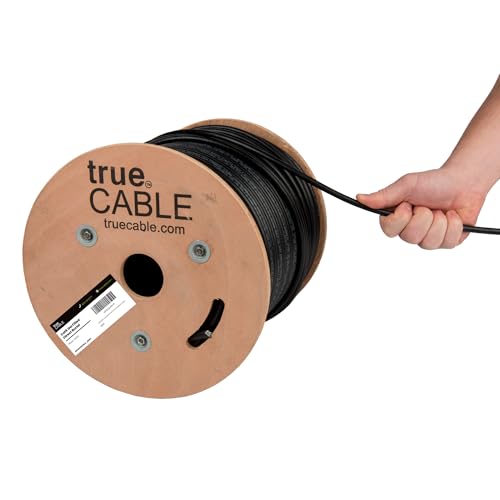
The cable: trueCABLE Direct-Burial Cat6
Outdoor, UV-resistant, gel-filled, 23 AWG solid bare copper. The 500 ft spool is the right size for most home installs — you need some slack at both ends for terminations. Never use indoor Cat6 for any run that leaves the house, even if you'll run it in conduit.
trueCABLE Cat6 Direct-Burial Bulk Ethernet, Gel-Filled, 500 ft
UV-resistant, gel-filled ethernet for outdoor runs and underground conduit.
Use outdoor-rated cable for anything that leaves the house — even if it's only running up the wall to a radio on the eaves. Gel-filled / direct-burial rating is required for unprotected underground runs. 500 ft spool is the right size for most home installs.
Best for: Any cable run exposed to sun, weather, or underground conduit.
- UV + moisture resistant
- Gel-filled for direct burial
- 23 AWG solid copper
- PoE++ rated
- Stiffer than indoor cable
- Terminations take practice
- Rating
- Cat6 Direct Burial
- Length
- 500 ft
- AWG
- 23 solid bare copper
Surge protection
Even a buried ethernet run can carry induced surges from a nearby lightning strike. Install a surge protector at each end, grounded to the building's ground system.
Tupavco TP302 Ethernet Surge Protector (2-Pack)
Cheap insurance against lightning frying your radio and router.
Install one of these on each end of any outdoor cable run, grounded to your building's ground system. Does not stop a direct strike, but eats the induced surges that are much more common. 2-pack covers a single PtP install.
Best for: Any outdoor radio. Non-negotiable for rural lightning-prone areas.
- Gigabit + PoE++
- 2-pack covers both ends
- Mounting flange + ground lug
- Only works if properly grounded
Build your shopping list
Build your shopping list
Check off what you already own — we'll tailor the list to what's left.
Still need to buy(5 items)


Prices are approximate. As an Amazon Associate we earn from qualifying purchases.
Install: step by step
1. Plan the route
Short and straight beats long and clever. Avoid:
- Running parallel to buried high-voltage electrical — induced noise can degrade throughput. Cross it at 90° if you must; 12 inches of separation is fine.
- Sharp bends at termination points (radius < 1 inch will damage Cat6).
- Future-dig zones (planned patios, fence lines, sprinkler rework).
Plan to enter each building through a weatherproof penetration and drip-loop the cable so water runs off.
2. Pull through conduit, or direct-bury
In conduit (preferred, even for direct-burial cable): 1/2-inch or 3/4-inch PVC electrical conduit, buried 12–18 inches deep. Saves you when a rodent chews through or the cable fails — you can pull a new one without re-digging.
Direct bury (no conduit): 18–24 inches deep per most local codes. Mark the run on a property plan — future-you will forget where it is.
3. Terminate both ends
Use outdoor-rated RJ45 connectors with rubber boots. Boot goes on the cable before you crimp. Test continuity with a cable tester before sealing up wall penetrations.
4. Install surge protectors and ground
Mount a surge protector at each end, as close to where the cable enters the building as practical. Ground to the building's ground rod. Without grounding, the surge protector does nothing.
5. Plug in
- House end → LAN port on your router or an existing switch.
- Destination end → switch uplink, or straight to a PoE AP if you're wiring exactly one device.
What good looks like
- Full gigabit wired throughput end to end
- Zero RF issues, zero weather issues, zero aiming drama
- Works in a thunderstorm
Troubleshooting
Only 100 Mbps instead of gigabit. Almost always a bad termination — a cable tester will show you which pair is miswired. Re-terminate.
Packet loss at the far end. Could be run length (measure — you may be past 328 ft), damage to the cable (kink, crimp, pinch from backfill), or ground-loop noise if there's no surge protection at one end.
Works in summer, fails in winter. Water ingress into an outdoor RJ45 that freezes. Redo the termination with a proper boot and drip loop.
Cost estimate
| Item | Approx cost |
|---|---|
| 500 ft trueCABLE direct-burial Cat6 | ~$160 |
| Surge protectors (2-pack) | ~$35 |
| Connectors, boots, conduit, keystones | ~$30 |
| Backhaul total | ~$225 |
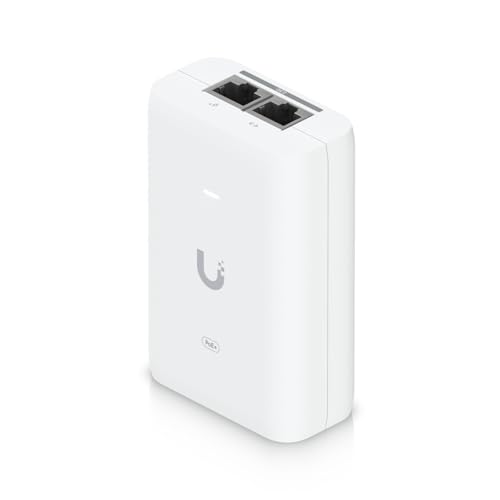
| Add UniFi Switch Flex Mini + U6 Lite + PoE injector | +$163 |
| Full barn Wi-Fi buildout total | ~$390 |
For most installs under 200 ft, this is the best long-term investment you can make — similar cost to a point-to-point system, but no radios to replace in 5 years and zero weather dependency.
Where this fits
- House → BarnSecurity cameras, smart feeders, streaming in the tack room — here's how to get real internet into a barn.
- House → ShopCNC control, network-licensed software, shop cameras, and a Bluetooth speaker that actually works.
- House → ADUAccessory dwelling units need real, reliable internet — not a flaky Wi-Fi extender. Do it right.
- House → GarageEV charger data, garage cameras, and a network drop for the guy working on the car.
- House → OutbuildingThe catch-all — workshops, sheds, pump houses, anything that isn't the main house.
- House → Another BuildingDecision framework for connecting any two buildings — indoors, outdoors, same property or across a road.
- House → WorkshopEnough bandwidth for tool downloads, video reference, and a shop camera or two.
- House → Pool HouseMusic, streaming, and pool automation for a building that's right there — but just too far for Wi-Fi.
- House → Guest HouseReal Wi-Fi for guests or renters — not a shared SSID from the main house that drops every thirty feet.
- House → Tiny HouseTiny footprint, real internet. Often the simplest install on this list.
- House → GreenhouseClimate sensors, automated vents, and grow-cam streaming. Typically short range and tolerates humidity-rated gear.
- House → Backyard OfficeWork-from-home, but further. Prioritize latency and upstream bandwidth for video calls.
- House → RV PadFor the guest rig parked out back, or your own full-timer setup.
- House → StudioArt, music, or recording — enough throughput for cloud backups and collab sessions.