House → Backyard Office
Getting Internet From Your House to a Backyard Office
Work-from-home, but further. Prioritize latency and upstream bandwidth for video calls.
A backyard office — a proper prefab studio, a shed converted to a workspace, or a purpose-built ADU — is the single most demanding outbuilding use case. Video calls all day need low latency, high upstream bandwidth, and zero drops.
Mesh extension or powerline will not cut it. They look fine on a speed test and then your Zoom call drops in front of a client. Don't do it. Run real ethernet in conduit if you can, or install a proper point-to-point bridge with a Wi-Fi 6 AP inside.
If you're building the office new, pull two Cat6 cables through the conduit with the electrical — one becomes your primary, the second is cheap insurance. Pull an extra empty conduit for future fiber.
What you'll typically use it for
- Full-time work from home with video calls
- Streaming studio (podcast, YouTube, Twitch)
- Client video meetings (Zoom, Teams, Google Meet)
- Cloud code deploys and large file uploads
What to think about
- Latency matters more than peak speed for video calls — prioritize wired backhaul
- Don't use mesh or powerline for a primary office — they drop too often
- Add a UPS for the router/AP in the office — a 5-second power blip during a client call is a bad look
- Pull a second ethernet cable if you're trenching — cheap insurance
Best solutions for this scenario
Ranked by typical best-fit for this kind of building and distance.
- 1Direct-Burial EthernetRun outdoor-rated Cat6 in conduit. Simple, rock solid, limited to 328 ft (100 m) without a switch.
- 2Point-to-Point Wireless BridgeA pair of directional radios, one on each building. The default answer for distances where running a cable is impractical.
- 3MoCA Over Existing CoaxIf a coax cable already runs between the two buildings, a pair of MoCA adapters gives you gigabit+ ethernet over it.
Gear commonly recommended here
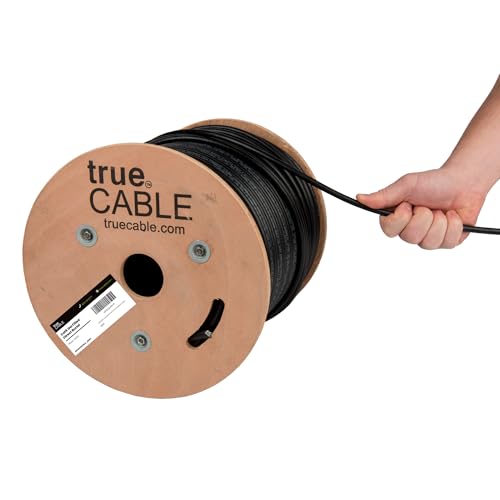
trueCABLE Cat6 Direct-Burial Bulk Ethernet, Gel-Filled, 500 ft
UV-resistant, gel-filled ethernet for outdoor runs and underground conduit.
Use outdoor-rated cable for anything that leaves the house — even if it's only running up the wall to a radio on the eaves. Gel-filled / direct-burial rating is required for unprotected underground runs. 500 ft spool is the right size for most home installs.
Best for: Any cable run exposed to sun, weather, or underground conduit.
- UV + moisture resistant
- Gel-filled for direct burial
- 23 AWG solid copper
- PoE++ rated
- Stiffer than indoor cable
- Terminations take practice
- Rating
- Cat6 Direct Burial
- Length
- 500 ft
- AWG
- 23 solid bare copper
Ubiquiti UniFi 6 Lite Access Point (U6-Lite)
Default UniFi AP for inside the barn.
Standard 802.3af PoE Wi-Fi 6 access point. Once your bridge brings ethernet into the barn, plug this into a PoE switch or injector and you have fast Wi-Fi over the whole building. Manage via any UniFi controller (Cloud Gateway, UDR, Self-Hosted).
Best for: Indoor Wi-Fi coverage in the destination building.
- Wi-Fi 6
- Standard 802.3af PoE
- UniFi controller (free) for config
- Not outdoor-rated
- PoE injector sold separately
- Wi-Fi
- Wi-Fi 6 (AX)
- PoE
- 802.3af
- Ports
- 1x GbE

Ubiquiti UniFi Cloud Gateway Ultra (UCG-Ultra)
The default UniFi router. Small, silent, runs the whole network.
Full UniFi OS router: firewall, VLANs, VPN, IDS/IPS, and a built-in UniFi Network controller that adopts all your UniFi APs, switches, and PtP radios. 2.5 Gbps WAN, gigabit LAN. For most home-plus-outbuilding networks this is the right brain.
Best for: Home networks with a handful of UniFi APs and switches across one or more buildings.
- Runs the UniFi controller locally — no separate device needed
- Fanless, silent
- Full IDS/IPS and VPN
- No built-in Wi-Fi (pair with a U6 Lite)
- No PoE output
- WAN
- 1x 2.5 GbE
- LAN
- 4x 1 GbE
- Throughput
- ~10 Gbps routing
