House → Garage
Getting Internet From Your House to Your Detached Garage
EV charger data, garage cameras, and a network drop for the guy working on the car.
Detached garages are usually close (under 100 ft), often have shared electrical from the house, and increasingly need real internet: EV chargers report usage, garage door openers need Wi-Fi, security cameras are standard, and if you wrench on cars or do woodworking, the garage is effectively a small shop.
If the garage has conduit going to it (common in any garage with 240V service for an EV charger), run ethernet in the same conduit — it's free, reliable, and gigabit forever. If the house and garage share coax from a previous install, MoCA is your easy button.
Point-to-point is overkill for most detached garages but is a valid option when the garage is across a driveway too wide to trench.
What you'll typically use it for
- EV charger networking (OCPP, utility load management)
- Garage cameras (interior, exterior, door-cam)
- Smart garage door openers
- Shop-style work area with tablet / laptop
- Overhead speakers for music
What to think about
- If you're pulling new 240V for an EV charger, pull ethernet in the same conduit
- EV chargers often want a dedicated VLAN — plan for that if using UniFi
- Garage doors in motion can cause brief RF disruption in 2.4 GHz — use 5 GHz if possible
- Add an outdoor-rated camera AP if you want driveway coverage
Best solutions for this scenario
Ranked by typical best-fit for this kind of building and distance.
- 1Direct-Burial EthernetRun outdoor-rated Cat6 in conduit. Simple, rock solid, limited to 328 ft (100 m) without a switch.
- 2Point-to-Point Wireless BridgeA pair of directional radios, one on each building. The default answer for distances where running a cable is impractical.
- 3MoCA Over Existing CoaxIf a coax cable already runs between the two buildings, a pair of MoCA adapters gives you gigabit+ ethernet over it.
Gear commonly recommended here
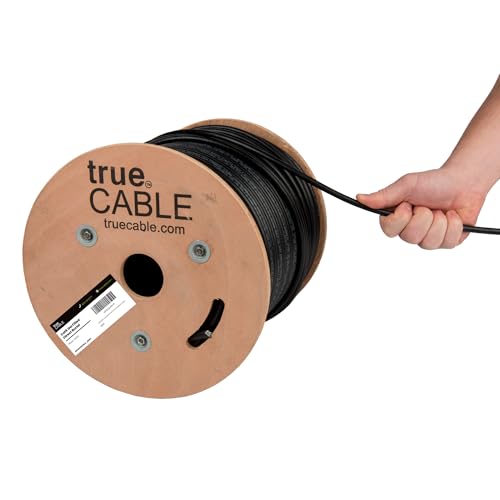
trueCABLE Cat6 Direct-Burial Bulk Ethernet, Gel-Filled, 500 ft
UV-resistant, gel-filled ethernet for outdoor runs and underground conduit.
Use outdoor-rated cable for anything that leaves the house — even if it's only running up the wall to a radio on the eaves. Gel-filled / direct-burial rating is required for unprotected underground runs. 500 ft spool is the right size for most home installs.
Best for: Any cable run exposed to sun, weather, or underground conduit.
- UV + moisture resistant
- Gel-filled for direct burial
- 23 AWG solid copper
- PoE++ rated
- Stiffer than indoor cable
- Terminations take practice
- Rating
- Cat6 Direct Burial
- Length
- 500 ft
- AWG
- 23 solid bare copper
Actiontec ScreenBeam Bonded MoCA 2.5 Adapter, 2-Pack (ECB7250K02)
Turn existing coax into a 2.5 Gbps ethernet backbone.
If your house and outbuilding are already connected by a run of coax (old TV cable, satellite, etc.), a pair of MoCA 2.5 adapters gives you up to 2.5 Gbps between them with zero digging. The ECB7250K02 ships as a starter kit with both ends in the box.
Best for: Properties with existing coax between buildings.
- No line-of-sight needed
- No digging
- Near-2.5 Gbps throughput
- Both ends included
- Requires existing coax
- Signal quality depends on cable/splitter condition
- Standard
- MoCA 2.5 (bonded)
- Throughput
- Up to 2.5 Gbps
- Ports
- 1x 2.5 GbE

Ubiquiti UniFi Switch Flex Mini (USW-Flex-Mini)
5-port managed gigabit switch the size of a credit card.
Tiny, cheap, managed. Ideal for the destination end of a PtP link when you just need to split one ethernet drop into a couple of devices (AP + camera + NVR). Powered by USB-C or PoE input. Runs under UniFi Network.
Best for: Small destination building where you only need 2–4 extra ports.
- Tiny and cheap
- Managed under UniFi
- USB-C or PoE powered
- Only 5 ports
- No PoE output
- Ports
- 5x GbE
- Power
- PoE input or USB-C
- Mgmt
- UniFi
