House → Guest House
Getting Internet From Your House to a Guest House
Real Wi-Fi for guests or renters — not a shared SSID from the main house that drops every thirty feet.
A guest house — full-time, short-term rental, or in-law suite — is functionally an ADU. Guests expect real internet. A shared SSID from the main house that drops every time someone closes the door is not real internet.
Install an access point inside the guest house fed by a real backhaul (ethernet, MoCA, or PtP). Give it its own SSID — either named guest-specifically (e.g. 'Guesthouse-WiFi') or just the same SSID as the main house for seamless roaming, depending on whether you want guests isolated from your primary network.
If you rent the guest house on Airbnb or similar, treat it like a tenant: separate VLAN, client isolation, and a password guests see but can't guess or share with the main-house network.
What you'll typically use it for
- Full-time in-law suite
- Short-term rental (Airbnb, VRBO)
- Long-term tenant apartment
- Guest streaming, video calls, smart TV
What to think about
- Separate VLAN or network for rentals — keeps main-house devices invisible to guests
- Label the Wi-Fi clearly — 'Guesthouse-WiFi' + password printed inside reduces support requests
- If hosting on Airbnb, meet their current minimum internet speed guidance
- Plan for guest devices that misbehave (printers broadcasting, smart TVs getting stuck)
Best solutions for this scenario
Ranked by typical best-fit for this kind of building and distance.
- 1Direct-Burial EthernetRun outdoor-rated Cat6 in conduit. Simple, rock solid, limited to 328 ft (100 m) without a switch.
- 2MoCA Over Existing CoaxIf a coax cable already runs between the two buildings, a pair of MoCA adapters gives you gigabit+ ethernet over it.
- 3Point-to-Point Wireless BridgeA pair of directional radios, one on each building. The default answer for distances where running a cable is impractical.
Gear commonly recommended here
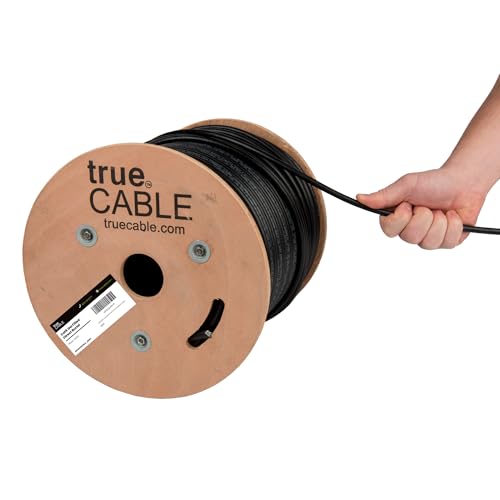
trueCABLE Cat6 Direct-Burial Bulk Ethernet, Gel-Filled, 500 ft
UV-resistant, gel-filled ethernet for outdoor runs and underground conduit.
Use outdoor-rated cable for anything that leaves the house — even if it's only running up the wall to a radio on the eaves. Gel-filled / direct-burial rating is required for unprotected underground runs. 500 ft spool is the right size for most home installs.
Best for: Any cable run exposed to sun, weather, or underground conduit.
- UV + moisture resistant
- Gel-filled for direct burial
- 23 AWG solid copper
- PoE++ rated
- Stiffer than indoor cable
- Terminations take practice
- Rating
- Cat6 Direct Burial
- Length
- 500 ft
- AWG
- 23 solid bare copper
Ubiquiti UniFi 6 Lite Access Point (U6-Lite)
Default UniFi AP for inside the barn.
Standard 802.3af PoE Wi-Fi 6 access point. Once your bridge brings ethernet into the barn, plug this into a PoE switch or injector and you have fast Wi-Fi over the whole building. Manage via any UniFi controller (Cloud Gateway, UDR, Self-Hosted).
Best for: Indoor Wi-Fi coverage in the destination building.
- Wi-Fi 6
- Standard 802.3af PoE
- UniFi controller (free) for config
- Not outdoor-rated
- PoE injector sold separately
- Wi-Fi
- Wi-Fi 6 (AX)
- PoE
- 802.3af
- Ports
- 1x GbE

Ubiquiti UniFi Cloud Gateway Ultra (UCG-Ultra)
The default UniFi router. Small, silent, runs the whole network.
Full UniFi OS router: firewall, VLANs, VPN, IDS/IPS, and a built-in UniFi Network controller that adopts all your UniFi APs, switches, and PtP radios. 2.5 Gbps WAN, gigabit LAN. For most home-plus-outbuilding networks this is the right brain.
Best for: Home networks with a handful of UniFi APs and switches across one or more buildings.
- Runs the UniFi controller locally — no separate device needed
- Fanless, silent
- Full IDS/IPS and VPN
- No built-in Wi-Fi (pair with a U6 Lite)
- No PoE output
- WAN
- 1x 2.5 GbE
- LAN
- 4x 1 GbE
- Throughput
- ~10 Gbps routing
