House → RV Pad
Getting Internet From Your House to an RV Pad
For the guest rig parked out back, or your own full-timer setup.
An RV pad is usually an outdoor parking spot with power and sometimes a pedestal for shore power and water. Adding internet is straightforward: either an outdoor AP on the nearest building pointed at the pad, or a weatherproof outdoor AP mounted on the power pedestal itself.
If the RV is someone's full-time residence — a tenant or a family member — treat it like an ADU and plan for reliable, fast internet with a dedicated AP. If it's occasional guest parking, an outdoor AP aimed at the pad is usually enough.
RVs have metal skin that blocks Wi-Fi from outside. Either mount a booster inside the RV, or accept that the best signal will be on the side of the RV closest to your AP.
What you'll typically use it for
- Full-time RV living on the property
- Guest or visiting-family RV parking
- Work-from-RV setups
- Streaming and video calls in the RV
What to think about
- RV metal skin blocks external Wi-Fi — mount a small AP inside the rig
- For long-term tenants, plan for a wired drop to the RV (underground conduit)
- Outdoor AP on the power pedestal is the cleanest install for guest pads
- Weather-rate any outdoor gear — Wi-Fi extenders die fast in sun/rain
Best solutions for this scenario
Ranked by typical best-fit for this kind of building and distance.
- 1Outdoor Wi-Fi Access PointWeatherproof access points for coverage outside a building — pastures, driveways, pool decks.
- 2Direct-Burial EthernetRun outdoor-rated Cat6 in conduit. Simple, rock solid, limited to 328 ft (100 m) without a switch.
- 3Point-to-Point Wireless BridgeA pair of directional radios, one on each building. The default answer for distances where running a cable is impractical.
Gear commonly recommended here
TP-Link Omada EAP610-Outdoor Wi-Fi 6 AP
Weatherproof AP for outdoor barn / pasture Wi-Fi.
IP68-rated outdoor Wi-Fi 6 AP. Use this if you need coverage in and around the barn — paddock, riding ring, driveway. Omada controller (cloud or self-hosted) or standalone. Works fine alongside UniFi gear on the network, just managed separately.
Best for: Outdoor Wi-Fi coverage outside the destination building.
- IP68 outdoor rated
- Wi-Fi 6 AX1800
- PoE powered
- Managed separately from UniFi gear
- PoE injector usually separate
- Wi-Fi
- Wi-Fi 6 (AX1800)
- PoE
- 802.3at
- Rating
- IP68

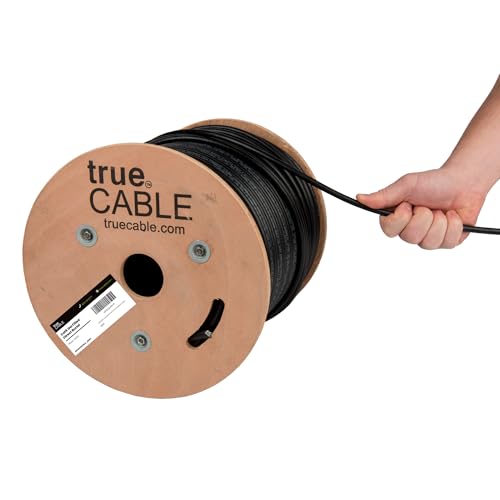
trueCABLE Cat6 Direct-Burial Bulk Ethernet, Gel-Filled, 500 ft
UV-resistant, gel-filled ethernet for outdoor runs and underground conduit.
Use outdoor-rated cable for anything that leaves the house — even if it's only running up the wall to a radio on the eaves. Gel-filled / direct-burial rating is required for unprotected underground runs. 500 ft spool is the right size for most home installs.
Best for: Any cable run exposed to sun, weather, or underground conduit.
- UV + moisture resistant
- Gel-filled for direct burial
- 23 AWG solid copper
- PoE++ rated
- Stiffer than indoor cable
- Terminations take practice
- Rating
- Cat6 Direct Burial
- Length
- 500 ft
- AWG
- 23 solid bare copper
Ubiquiti LiteBeam 5AC Gen2 (LBE-5AC-Gen2), 2-Pack w/ Surge Protectors
Cheapest legitimate UniFi PtP pair. Dish form factor, 23 dBi gain.
Entry-level airMAX dish radio. 23 dBi gain at a price below the NanoStation. Not as fast or as well-specced as the NanoBeam, but plenty for a home internet connection. This listing bundles 2 units and 2 Ubiquiti Ethernet Surge Protectors — the most cost-effective way to buy a complete UniFi PtP kit.
Best for: Budget UniFi install up to ~5 km with good line of sight.
- Cheapest UniFi-ecosystem PtP
- Surge protectors included
- Good gain for the price
- Older chipset than NanoBeam
- Single-chain radio
- Band
- 5 GHz
- Gain
- 23 dBi
- Range
- Up to 5 km
- PoE
- 24V passive (included)
