Outdoor AP
Outdoor Wi-Fi Access Point
Weatherproof access points for coverage outside a building — pastures, driveways, pool decks.
An outdoor Wi-Fi access point is a weatherproof AP mounted outside a building to provide Wi-Fi coverage to an area — pool deck, paddock, driveway, RV pad, dock — not to bridge between buildings. People sometimes reach for an outdoor AP when they actually need a point-to-point bridge. Know which problem you're solving first.
Outdoor AP vs. point-to-point — what's the difference?
A point-to-point bridge carries internet between two buildings. Use it when the destination is another building with its own indoor AP.
An outdoor AP provides Wi-Fi coverage to a physical area. Use it when the destination isn't a building, or the "building" is the area around something (a dock, a paddock, an RV pad). Devices connect directly to the outdoor AP's SSID.
Both often appear together: the PtP gets internet to the barn, then an outdoor AP mounted on the barn covers the surrounding paddock.
Is an outdoor AP right for you?
- You need Wi-Fi in an outdoor area, not inside a building
- Devices (phones, tablets, cameras) will connect directly to its SSID
- Distance from the source building is under ~200 ft of clear air
- You need internet at another building — use a point-to-point bridge feeding an indoor AP there instead.
- You're trying to extend home Wi-Fi through a wall to a nearby shed — mesh extension is a more honest try, though often not enough.
The gear
Default pick: TP-Link Omada EAP610 Outdoor
IP68 weatherproof, Wi-Fi 6 AX1800, PoE powered. Managed via Omada cloud or standalone. Coexists happily with UniFi gear on the network, just managed separately from a different app.
TP-Link Omada EAP610-Outdoor Wi-Fi 6 AP
Weatherproof AP for outdoor barn / pasture Wi-Fi.
IP68-rated outdoor Wi-Fi 6 AP. Use this if you need coverage in and around the barn — paddock, riding ring, driveway. Omada controller (cloud or self-hosted) or standalone. Works fine alongside UniFi gear on the network, just managed separately.
Best for: Outdoor Wi-Fi coverage outside the destination building.
- IP68 outdoor rated
- Wi-Fi 6 AX1800
- PoE powered
- Managed separately from UniFi gear
- PoE injector usually separate
- Wi-Fi
- Wi-Fi 6 (AX1800)
- PoE
- 802.3at
- Rating
- IP68
UniFi ecosystem option: Grandstream GWN7664LR
If you've standardized on Grandstream, their Wi-Fi 6 outdoor long-range AP is the match. More expensive than the TP-Link but fits the GWN.Cloud managed stack. (Ubiquiti's current outdoor APs like the U6-Mesh are also good; check Amazon for current pricing if you want to keep it all in UniFi.)
Grandstream GWN7664LR Wi-Fi 6 Outdoor Long-Range AP
Wi-Fi 6 outdoor AP if you're committed to the Grandstream stack.
Grandstream's outdoor long-range Wi-Fi 6 AP. 4x4 MU-MIMO, managed via GWN.Cloud or an on-site GWN controller. Reasonable alternative to the EAP610-Outdoor when the rest of your network is Grandstream (GWN routers, GWN switches). Not a dedicated point-to-point radio.
Best for: All-Grandstream deployments needing outdoor coverage or basic mesh bridging.
- Wi-Fi 6, long-range antennas
- Integrates with other GWN gear
- GWN.Cloud free
- Pricier than TP-Link or UniFi alternatives
- Not a dedicated PtP radio
- Wi-Fi
- Wi-Fi 6 (AX)
- PoE
- 802.3at
- Rating
- IP66

Build your shopping list
Build your shopping list
Check off what you already own — we'll tailor the list to what's left.
Still need to buy(4 items)

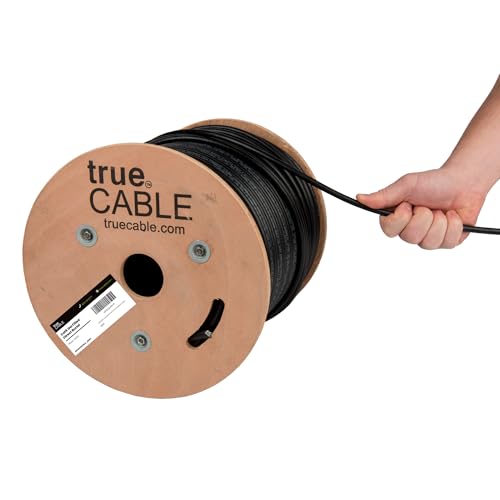

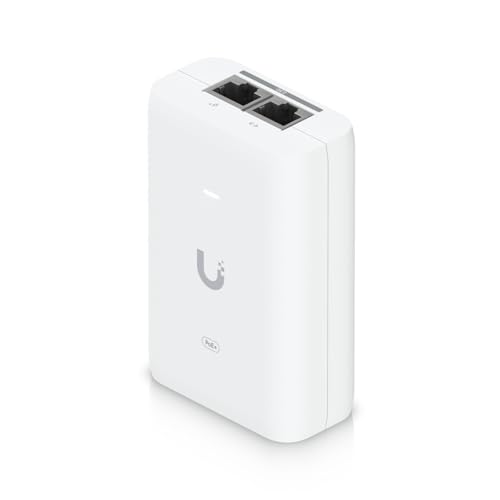
Prices are approximate. As an Amazon Associate we earn from qualifying purchases.
Install: step by step
1. Pick the mount location
Higher is better for range. Sides of buildings, tops of poles, eaves, chimneys. Avoid directly under the building's ridge — you'll get drip onto the AP.
2. Run the ethernet drop
From your indoor switch or PoE injector, out through a weatherproof penetration, to the AP. Outdoor-rated cable for the outdoor portion. Drip loop where it enters the building.
3. Install surge protectors
One at the AP end, one at the indoor end, both grounded. Non-negotiable for any outdoor AP.
4. Mount and terminate
Weatherproof RJ45 boots on the cable before crimping. Seal the AP's ethernet port with the supplied weatherproofing kit.
5. Adopt and configure
Both the EAP610-Outdoor and GWN7664LR want to be adopted in their respective cloud / local controller. Name the SSID clearly ("Poolside", "Barn-Yard") or use the same SSID as your main Wi-Fi for roaming.
Troubleshooting
Range is worse than expected. Antenna orientation on outdoor APs matters — check the manual for preferred mounting orientation (usually vertical).
AP powers up but won't adopt. Wrong PoE standard. Most outdoor APs need 802.3at (PoE+), not plain 802.3af. A passive 24V injector will kill a standards-based AP.
Works fine on a sunny day, drops in rain. Water got into the RJ45. Redo the termination with proper weatherproofing.
Where this fits
- House → FarmWhole-farm networking — barns, arenas, pastures, pole barns. Hub-and-spoke point-to-multipoint + outdoor APs.
- House → FieldPump controls, irrigation, gate openers, livestock cameras — Wi-Fi and network where there's no building.
- House → GreenhouseClimate sensors, automated vents, and grow-cam streaming. Typically short range and tolerates humidity-rated gear.
- House → CoopPredator cams, automatic doors, and a temperature alert so the flock survives a power outage.
- House → DockShoreline Wi-Fi for the boat, the dock cam, and anyone actually fishing rather than scrolling.
- House → RV PadFor the guest rig parked out back, or your own full-timer setup.