House → Dock
Getting Internet From Your House to Your Dock or Boathouse
Shoreline Wi-Fi for the boat, the dock cam, and anyone actually fishing rather than scrolling.
Getting Wi-Fi to a dock or boathouse is a mix of challenges: often 100–400 ft from the house, direct line of sight over water (great for Wi-Fi!), but every bit of gear has to handle humidity, salt spray, and occasional direct weather.
The install is typically a point-to-point link from the house to a post or building at the waterfront, then an outdoor-rated AP mounted at the dock to cover the dock itself and the first few boat lengths out.
If the 'dock' is really a boathouse with four walls and a roof, treat it like a detached garage — run ethernet in conduit along with the electrical and mount a weatherproof AP inside.
What you'll typically use it for
- Boat GPS and chartplotter backup downloads
- Dock camera (theft deterrent, wildlife)
- Streaming music on dock speakers
- Smart dock lighting
- Remote marine battery monitoring
What to think about
- Salt water destroys aluminum brackets and standard steel connectors — use stainless or marine-grade
- Mount radios high enough that wake from a large boat doesn't spray them
- Wi-Fi over water actually works very well — line of sight is usually perfect
- Lightning risk on a waterfront is higher than normal — surge protect aggressively
Best solutions for this scenario
Ranked by typical best-fit for this kind of building and distance.
Gear commonly recommended here
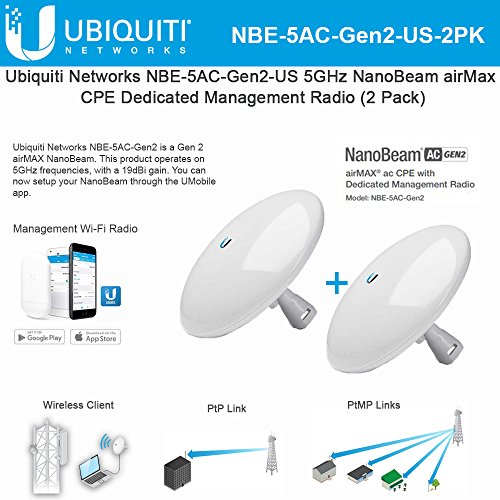
Ubiquiti NanoBeam 5AC Gen2 (NBE-5AC-Gen2), 2-Pack
Step up when you need more reach or cleaner signal.
Dish-style airMAX radio with 19 dBi gain and a dedicated management radio. Noticeably better throughput and stability than the Loco at longer distances or in noisy RF environments. Same configuration workflow as the NanoStation.
Best for: Runs from 500 ft to ~3 miles, or anywhere with heavy Wi-Fi interference.
- Higher gain = more margin for rain/foliage
- Dedicated management radio
- Gigabit PoE port
- More expensive per pair
- Narrower beam — aiming matters more
- Band
- 5 GHz
- Gain
- 19 dBi
- Range
- Up to ~15 km
- PoE
- 24V passive (included)
TP-Link Omada EAP610-Outdoor Wi-Fi 6 AP
Weatherproof AP for outdoor barn / pasture Wi-Fi.
IP68-rated outdoor Wi-Fi 6 AP. Use this if you need coverage in and around the barn — paddock, riding ring, driveway. Omada controller (cloud or self-hosted) or standalone. Works fine alongside UniFi gear on the network, just managed separately.
Best for: Outdoor Wi-Fi coverage outside the destination building.
- IP68 outdoor rated
- Wi-Fi 6 AX1800
- PoE powered
- Managed separately from UniFi gear
- PoE injector usually separate
- Wi-Fi
- Wi-Fi 6 (AX1800)
- PoE
- 802.3at
- Rating
- IP68

Tupavco TP302 Ethernet Surge Protector (2-Pack)
Cheap insurance against lightning frying your radio and router.
Install one of these on each end of any outdoor cable run, grounded to your building's ground system. Does not stop a direct strike, but eats the induced surges that are much more common. 2-pack covers a single PtP install.
Best for: Any outdoor radio. Non-negotiable for rural lightning-prone areas.
- Gigabit + PoE++
- 2-pack covers both ends
- Mounting flange + ground lug
- Only works if properly grounded
