Cellular
Cellular / LTE Gateway
When nothing else will reach, bring its own connection. Great for very remote cabins or as failover.
A cellular / LTE gateway gives an outbuilding its own internet connection over 4G LTE or 5G, independent of the main house. It's the right answer when the outbuilding is too far for a point-to-point link (over ~3 miles), when there's no line of sight, or when the outbuilding genuinely needs its own connection — a cabin on a different property, a remote hunting lease, an RV pad with rotating guests.
It's also a great backup when the main ISP goes down — many home network setups now include a cellular failover that kicks in automatically.
Is cellular right for you?
- The outbuilding is over 3 miles from the main house with no shared property network
- There's no line of sight and no way to dig
- The outbuilding needs its own billing / connection (remote property, tenant, hunting cabin)
- You want a failover for when your wired home internet goes down
- The outbuilding is on the same property under ~1 mile — point-to-point is far cheaper and more reliable.
- You're already paying for home internet and the outbuilding is close — extend what you have.
- Cell signal at the outbuilding is marginal — an antenna can help, but if you can't get one bar with a phone there, cellular probably won't work reliably.
How it works
A cellular gateway is essentially a router with a built-in LTE/5G modem. You insert a SIM card, it connects to the carrier, and it presents the connection as a normal ethernet / Wi-Fi network. Your devices don't know the difference.
The three pieces that matter:
- The gateway — where the SIM goes, what antennas plug into, and what routes traffic.
- The SIM plan — carrier (T-Mobile, Verizon, AT&T), data allowance, and hardware compatibility.
- The antenna — at rural signal levels, a good external antenna often matters more than the gateway itself.
The gear
Because cellular gear is carrier-specific and model choices evolve fast, we don't stock single-brand picks in our catalog. Here's the decision framework:
For a permanent cellular link at an outbuilding:
- T-Mobile Home Internet or Verizon 5G Home — if in coverage, cheapest path to a reliable connection (single-vendor box + plan)
- Cradlepoint (enterprise), Peplink (prosumer), Teltonika (budget-pro) — SIM-based gateways that work with any carrier plan you bring. Cradlepoint E100 and Peplink BR1 Mini are popular choices.
Antenna upgrade (almost always worth it):
- Poynting / Panorama / Parsec external antennas on a mast outside the outbuilding. $150–300 for a marginal-signal-fixing antenna kit. Often the difference between unusable and fast.
For cellular failover at the main house:
- UniFi Cloud Gateway Ultra supports USB cellular failover out of the box — one of the easiest ways to add backup to an existing UniFi network. Pair with a Sierra Wireless or Franklin T9 USB LTE modem.
Build your shopping list
Below is the supporting gear your cellular install likely needs, once you've picked a gateway + SIM from a carrier.
Build your shopping list
Check off what you already own — we'll tailor the list to what's left.
Still need to buy(3 items)


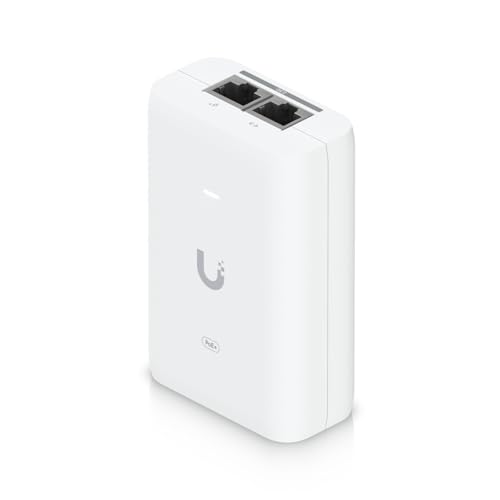
Prices are approximate. As an Amazon Associate we earn from qualifying purchases.
Install: step by step
1. Check signal at the outbuilding
Stand where the cellular gateway will live. Pull out your phone and check signal bars for each carrier. At least 2 bars of LTE, ideally 3+, is what you want. 5G signal is nice but LTE is plenty for anything short of heavy video work.
If signal is marginal, plan for an external antenna on the roof or a short mast.
2. Pick your carrier and plan
Home internet plans (T-Mobile, Verizon 5G Home) are simplest — no SIM shuffling, one box, one bill. SIM-based gateways (Cradlepoint, Peplink) give you more control but require picking a plan separately.
Confirm the gateway you pick supports the carrier's LTE bands — most do, but it's worth checking.
3. Mount and power the gateway
Pick a spot with best signal (often near a window facing a cell tower). Add an external antenna if signal is marginal — run the antenna cable (usually SMA or N-type) to a pole mount outside.
4. Configure and test
Insert SIM, power up, wait for LTE connection. Run a speed test from a connected device. Good rural LTE = 30–100 Mbps down / 5–20 Mbps up. Poor signal = 5–15 Mbps.
5. Add Wi-Fi and additional ports
Plug the gateway's ethernet into a small switch, add an AP, and cover the building.
Troubleshooting
No signal at all. The gateway's internal antenna isn't enough — you need a roof or mast antenna. A Poynting or Parsec external MIMO antenna pointed at the nearest tower usually fixes this.
Connected but slow. Network congestion or wrong band. Check your gateway's diagnostic to see what band and signal (RSRP, RSRQ) you're on — weak RSRQ means you're at the edge of a sector.
Drops every few hours. Often a lease-renewal bug on older LTE modems. Update firmware. If it persists, swap the gateway.
Cost estimate
| Item | Approx cost |
|---|---|
| Cellular gateway (Cradlepoint / Peplink / Teltonika) | $200–800 |
| Data plan (month-to-month, variable by carrier) | $30–100/mo |
| External antenna kit (for marginal signal) | $150–350 |
| Total setup, plus monthly | ~$500–1,300 + $30–100/mo |
Cellular is the most expensive ongoing option here — you're paying monthly forever. For any outbuilding under 3 miles with line of sight, point-to-point is usually a better deal even accounting for install time.