Building ↔ Building
Getting Internet Between Two Commercial Buildings
Link two offices, warehouses, or shops across a street or parking lot without a WAN circuit.
Commercial building-to-building links have different constraints than residential: usually higher throughput requirements (gigabit minimum), stricter uptime expectations, regulatory considerations if you're crossing a public right-of-way, and often a need for managed / enterprise gear with remote monitoring.
For under 1 km links with line of sight, the UniFi UBB-XG 10 Gbps bridge is the easiest install — pre-paired, 60 GHz, managed under UniFi. For longer links or where 60 GHz weather sensitivity is a concern, the 5 GHz airMAX PowerBeam or the Cambium Networks ePMP line is the step up.
For permanent, business-critical links, buried fiber is still the gold standard. Expensive up front, essentially maintenance-free for decades, not affected by weather or RF interference.
What you'll typically use it for
- Linking two offices on the same campus
- Warehouse to office data link
- Retail store to back-office building
- Multi-tenant commercial property shared internet
What to think about
- Check local codes for crossing public right-of-way with any aerial line
- Enterprise SLA usually requires a backup path — consider cellular or a second PtP as failover
- Commercial gear (Cambium, Mimosa, Siklu) is more expensive but has better SLAs and remote management
- Fiber wins for business-critical links if you can afford the install
Best solutions for this scenario
Ranked by typical best-fit for this kind of building and distance.
Gear commonly recommended here
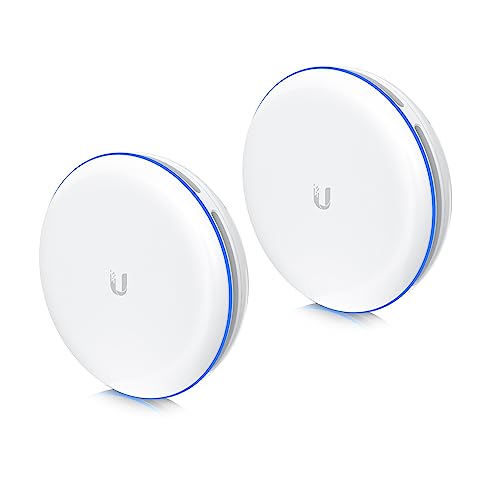
Ubiquiti UniFi UBB-XG Building-to-Building Bridge (2-Pack)
Plug-and-play 10 Gbps 60 GHz bridge. The easiest possible install.
The premium option. Both units are paired out of the box — mount, point them at each other, plug them in. No airOS config, no SSID, no channel hunting. 60 GHz delivers true 10 Gbps short-range links. UniFi-managed once online. Shorter distance limit (~500 m) and more sensitive to rain/obstructions than 5 GHz radios — strictly line-of-sight.
Best for: When you want it to 'just work' and distance is under 500 m.
- Zero configuration
- 10 Gbps throughput
- Integrates with UniFi controller
- Most expensive option
- Tighter distance limit than 5 GHz
- 60 GHz is more weather-sensitive
- Band
- 60 GHz
- Throughput
- Up to 10 Gbps
- Range
- ~500 m
- PoE
- 802.3bt
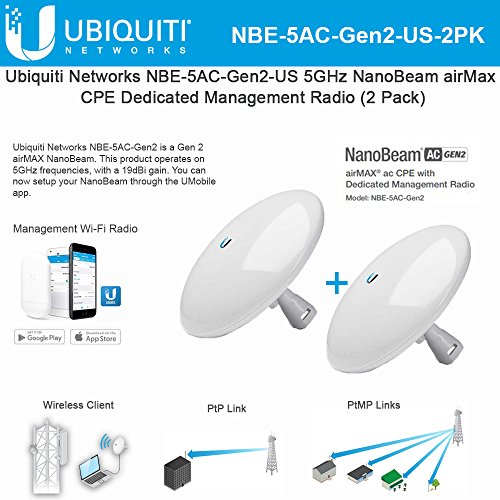
Ubiquiti NanoBeam 5AC Gen2 (NBE-5AC-Gen2), 2-Pack
Step up when you need more reach or cleaner signal.
Dish-style airMAX radio with 19 dBi gain and a dedicated management radio. Noticeably better throughput and stability than the Loco at longer distances or in noisy RF environments. Same configuration workflow as the NanoStation.
Best for: Runs from 500 ft to ~3 miles, or anywhere with heavy Wi-Fi interference.
- Higher gain = more margin for rain/foliage
- Dedicated management radio
- Gigabit PoE port
- More expensive per pair
- Narrower beam — aiming matters more
- Band
- 5 GHz
- Gain
- 19 dBi
- Range
- Up to ~15 km
- PoE
- 24V passive (included)
Ubiquiti UniFi Cloud Gateway Ultra (UCG-Ultra)
The default UniFi router. Small, silent, runs the whole network.
Full UniFi OS router: firewall, VLANs, VPN, IDS/IPS, and a built-in UniFi Network controller that adopts all your UniFi APs, switches, and PtP radios. 2.5 Gbps WAN, gigabit LAN. For most home-plus-outbuilding networks this is the right brain.
Best for: Home networks with a handful of UniFi APs and switches across one or more buildings.
- Runs the UniFi controller locally — no separate device needed
- Fanless, silent
- Full IDS/IPS and VPN
- No built-in Wi-Fi (pair with a U6 Lite)
- No PoE output
- WAN
- 1x 2.5 GbE
- LAN
- 4x 1 GbE
- Throughput
- ~10 Gbps routing
